Your product, clicked through
before the first call.
Interactive demos for product and sales teams. Record a click-through in Chrome, polish it in the Studio, and share a walk anyone can try on any screen.
A real walk. Go ahead, click.
Every click becomes a step.
Click through your product once. iWalk turns each click into a step with its screenshot, a hotspot on what you clicked, and a few seconds of video.
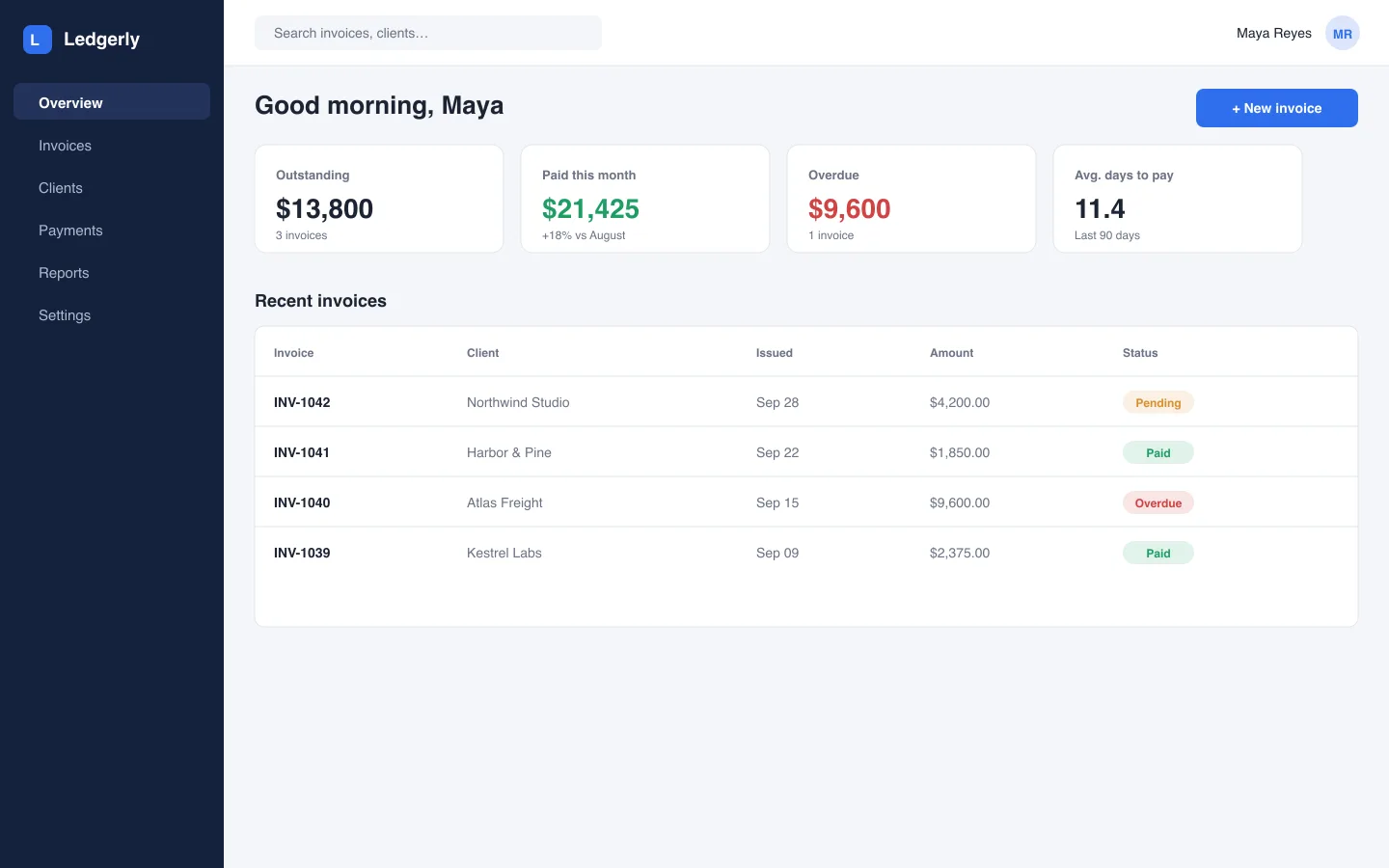
Start from the overviewStep 1
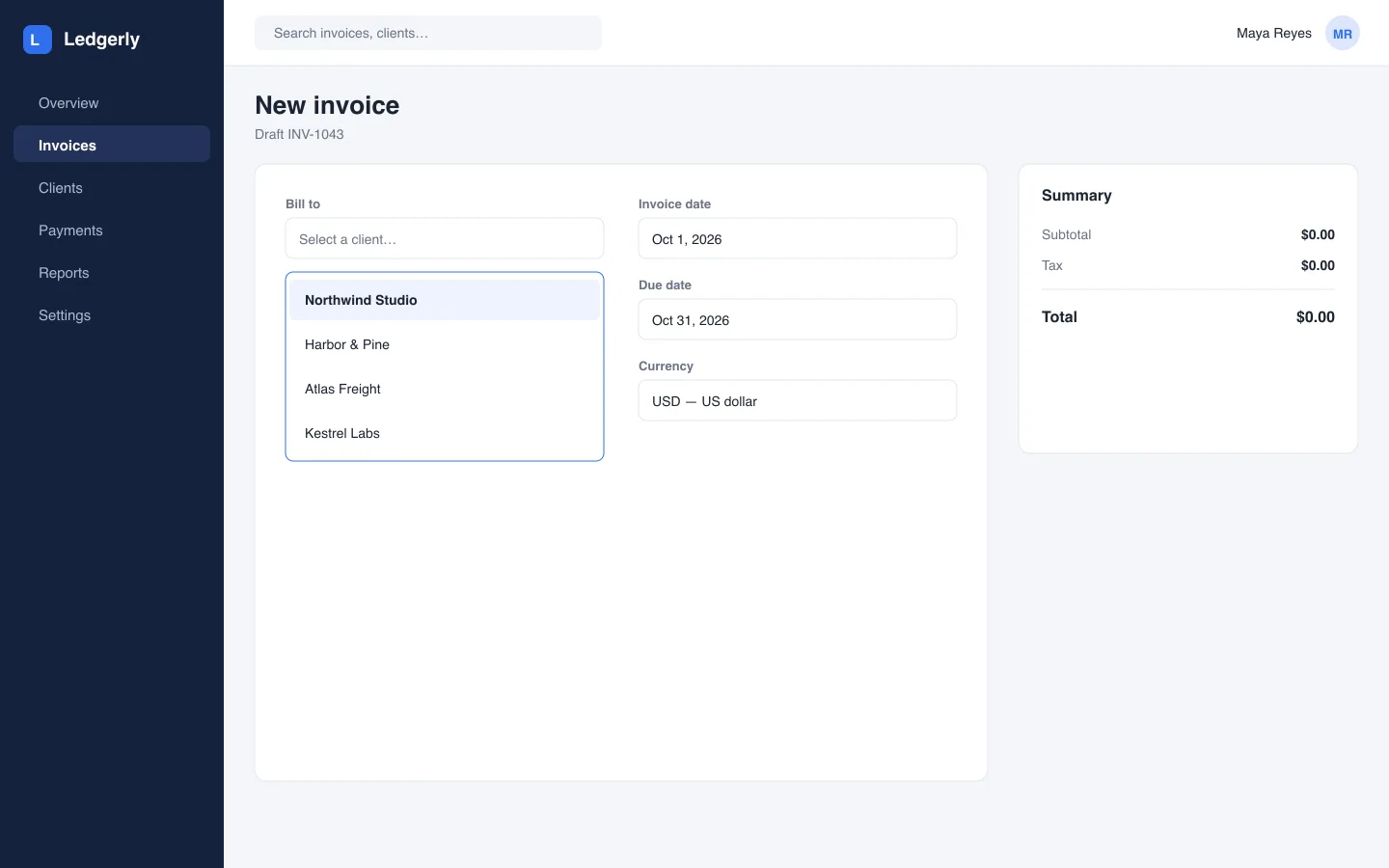
Pick who you are billingStep 2
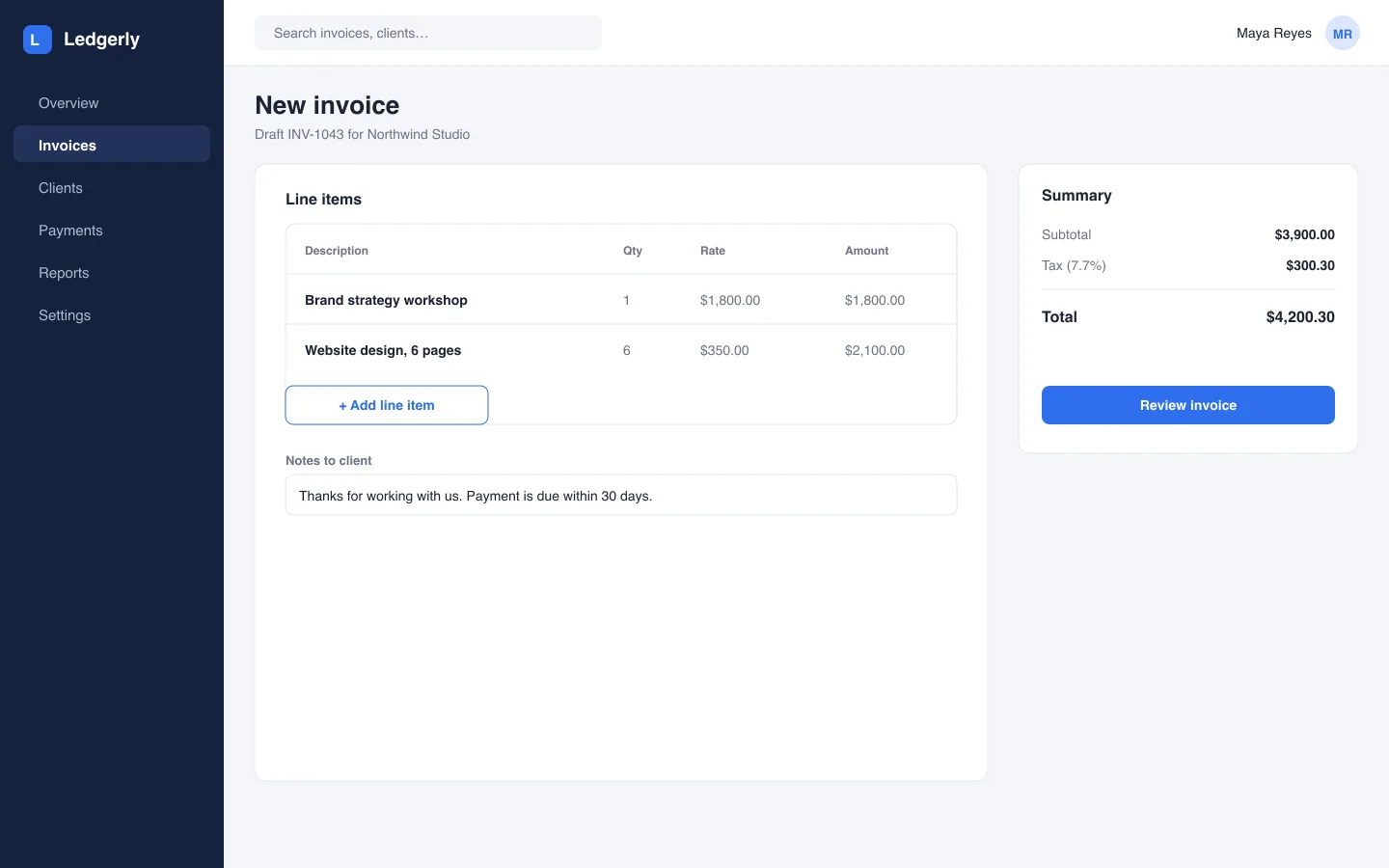
Add what you are charging forStep 3
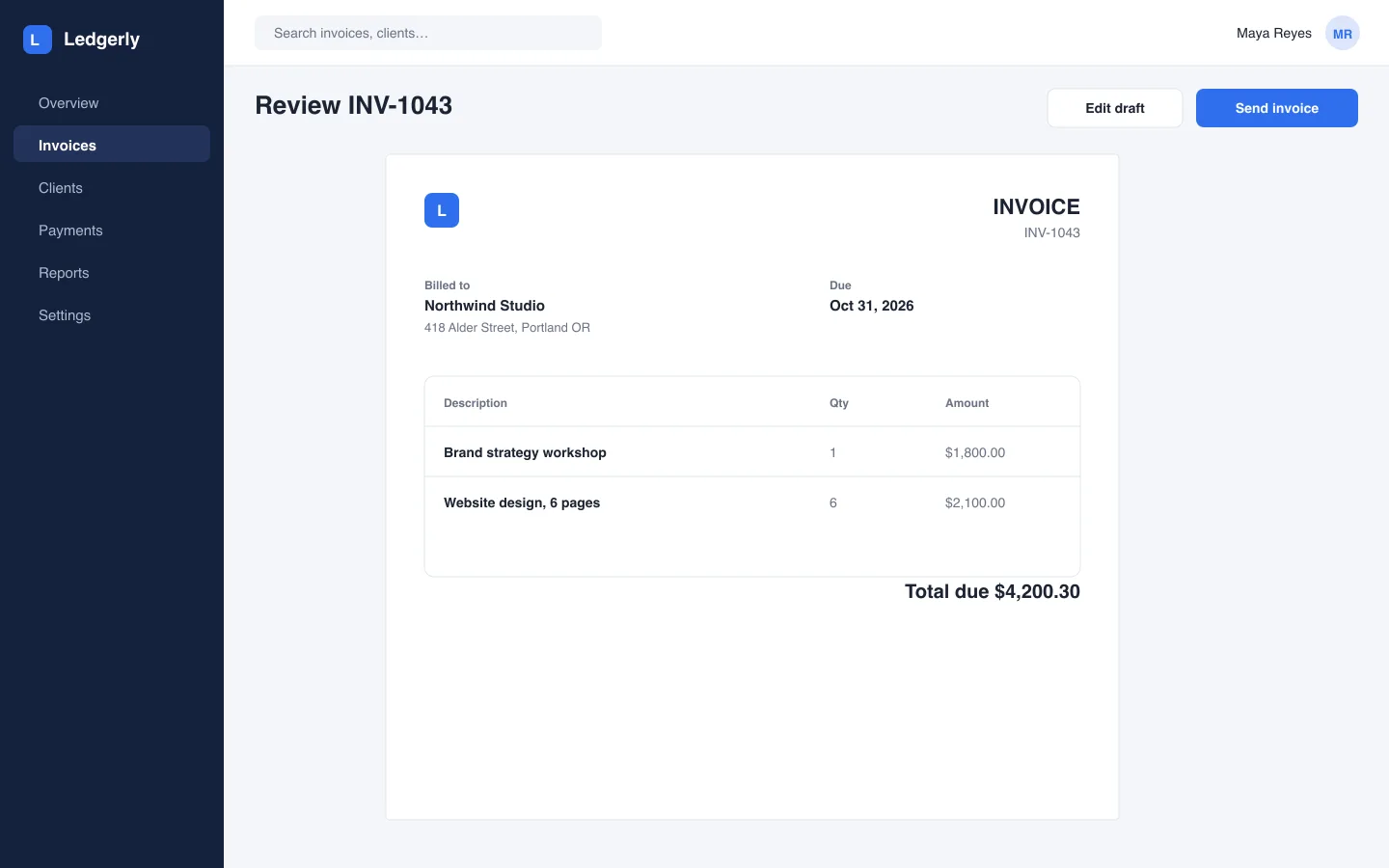
Check it before it goes outStep 4
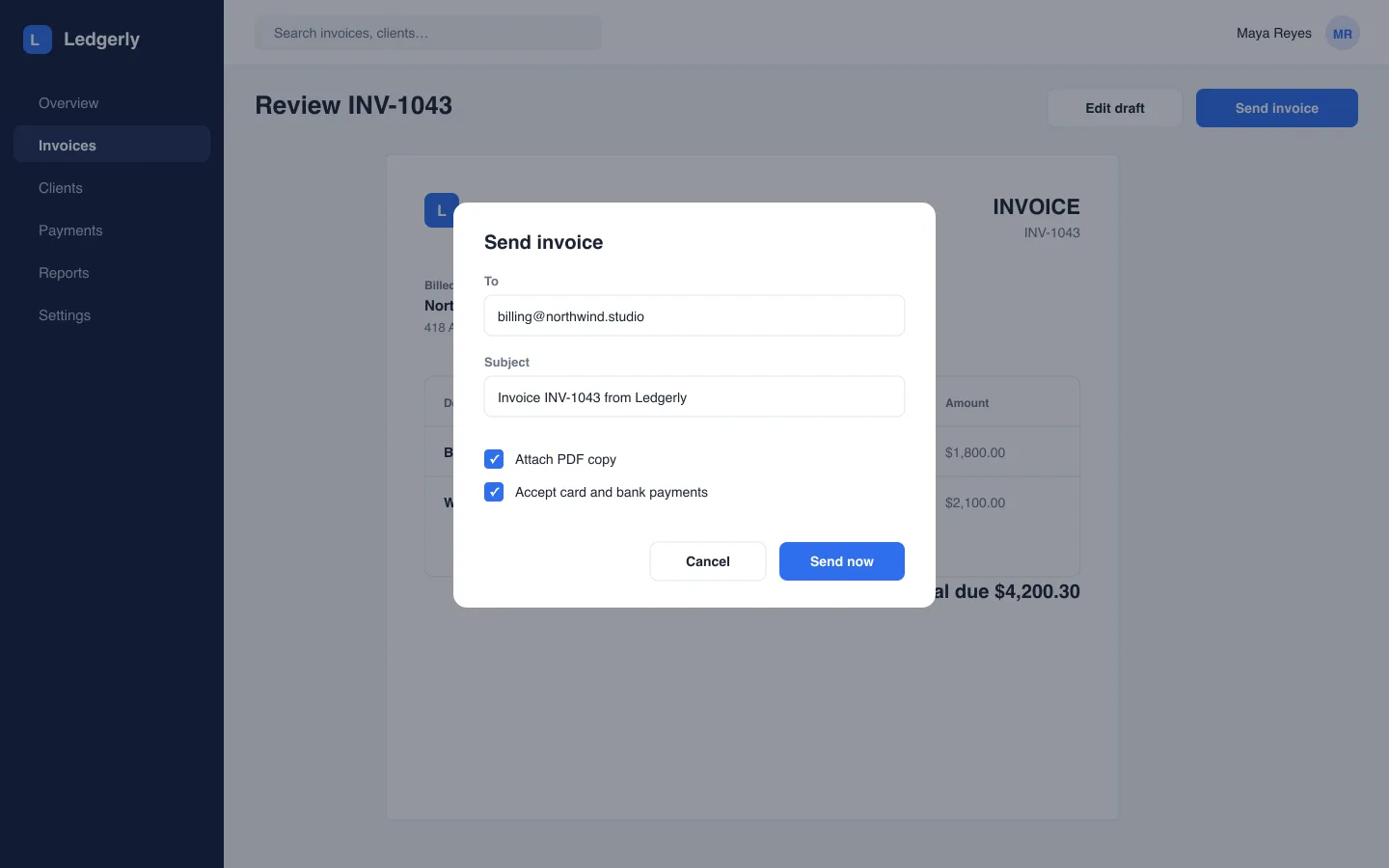
Send it with online paymentStep 5
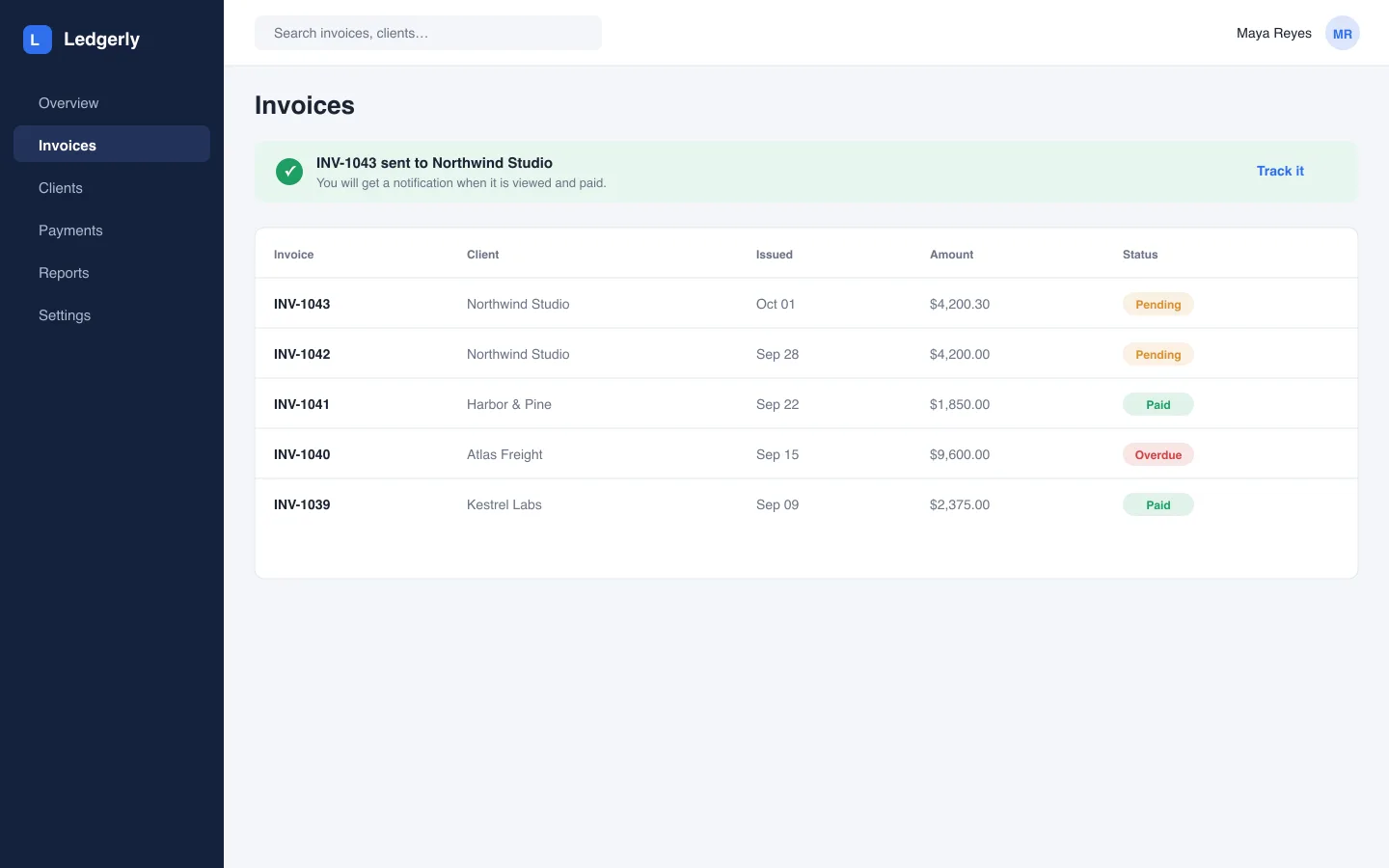
Sent and trackedStep 6
Shape it before anyone sees it.
Draw hotspots and write the guidance. Zoom into the detail that matters, blur anything private, and let the brand kit dress every walk.
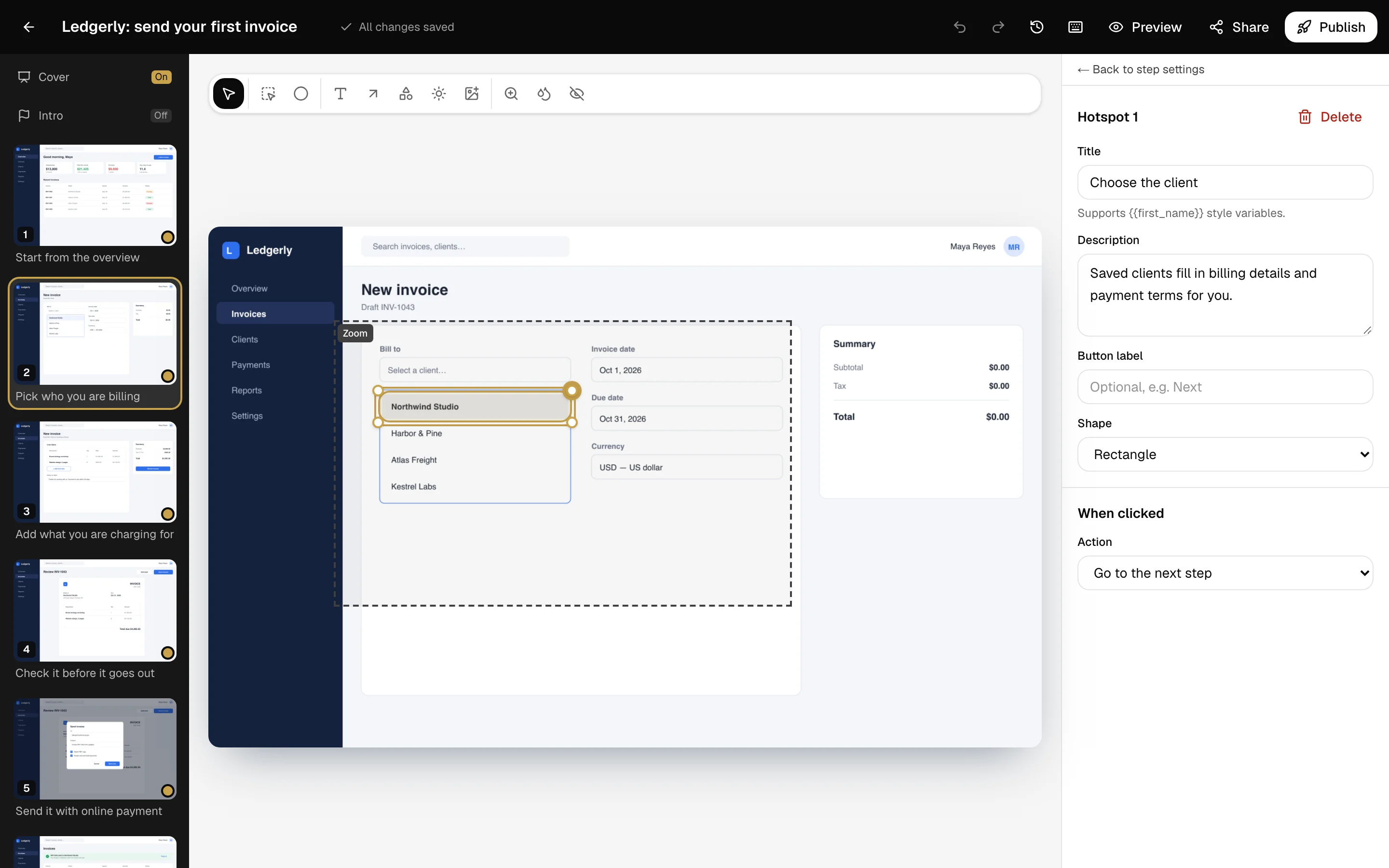
Hotspots
Point at the next click and say why it matters.
Zoom and blur
Move the camera in, or hide data before publishing.
Brand kit
Logo, color, font and radius applied everywhere.
Undo and history
Every edit autosaves, with 30 days of versions.
Real motion between
the clicks.
Screenshots alone teleport. With video on, viewers watch the few seconds that led to each click, then the walk pauses so they can try it themselves.
5s
Of recording before every click
Adjustable from one to eight seconds per step. Blur and redaction are burned into the clips too, and viewers can skip ahead whenever they like.
Wherever your buyers already are.
One walk, published once, works as a link, an embed, a pop-up or a file. Unlisted, password-protected or workspace-only, your call.
Link/w/your-walk
A full-page walk that works on any device.
Embediframe
Drop it into a landing page, help center or docs.
Pop-upone script tag
Any button on your site opens the walk in a modal.
ExportHTML or PDF
An offline file for sales decks and procurement.
See exactly where they stop.
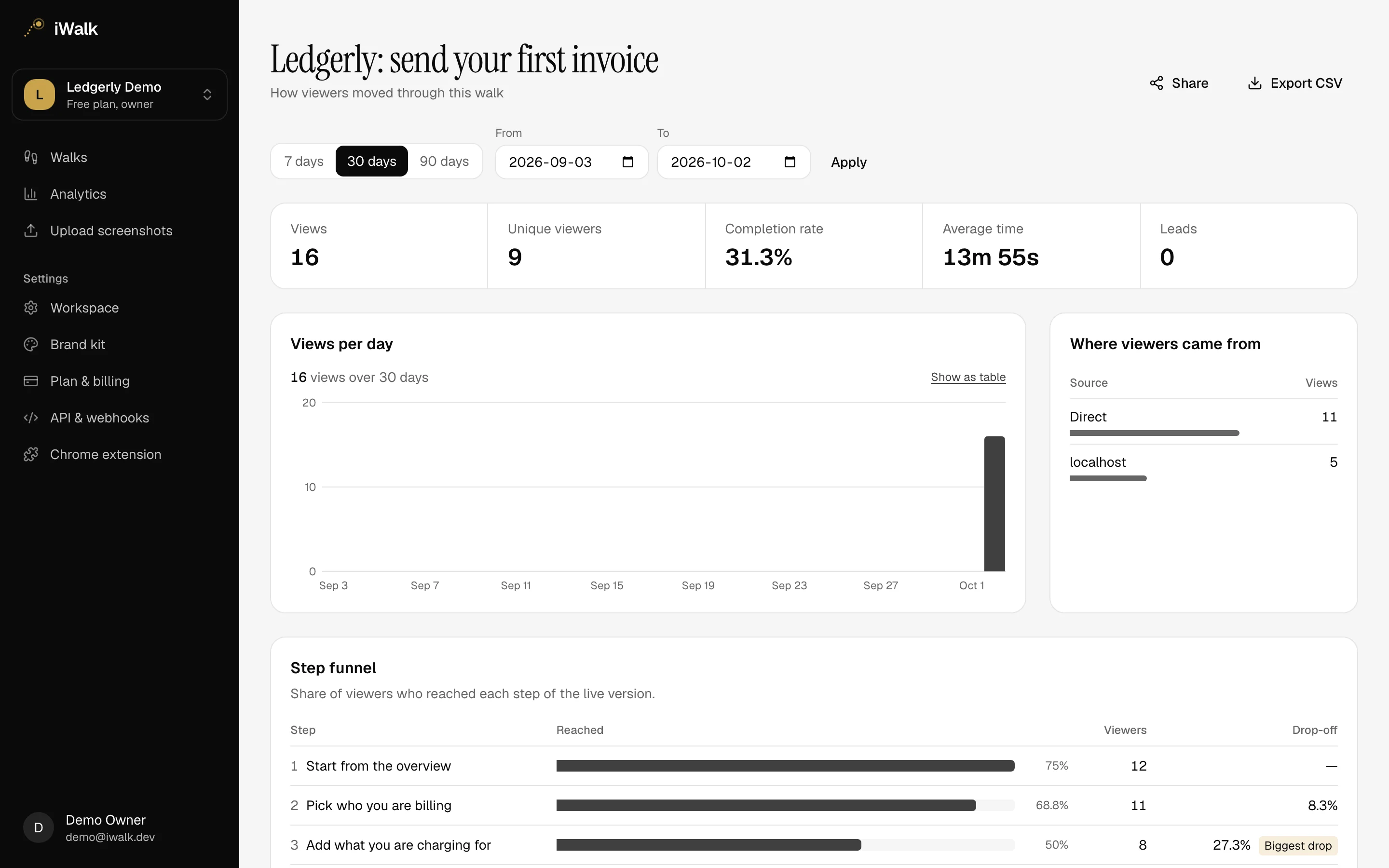
Views, completion and time on every walk, plus a step-by-step funnel. No third-party trackers: the data stays in your database.
Start free. Pay when it works.
Every plan includes the extension, the Studio, analytics and all three ways to share.
Free
For trying it on a real flow.
$0forever
Includes
- 3 walks
- 15 steps per walk
- 1 editor, unlimited viewers
- iWalk badge on walks
- 30-day analytics history
Pro
For one person shipping demos weekly.
$32per month
Includes
- Unlimited walks
- 50 steps per walk
- 1 editor, unlimited viewers
- No iWalk badge
- Password-protected links
- 365-day analytics history
Team
For sales and product teams.
$42per editor / month
Includes
- Unlimited walks
- 100 steps per walk
- 3+ editors, billed per seat
- No iWalk badge
- Password-protected links
- Custom domain
- 730-day analytics history
The questions that come up before the first walk.
Anything missing? Sign up and look around: the free plan has no time limit.
What does the Chrome extension record?
Each click becomes a step: a screenshot of the tab, where you clicked, and what you clicked on. With video turned on it also records the tab, so viewers see a few seconds of real movement before every click. It never records typing, and password and card fields are covered in every frame.
Can I hide customer data before I share?
Yes. Draw a blur or a solid box over anything in the Studio. When you publish, it is burned into the images and video clips themselves, so the original pixels are never sent to viewers.
Do viewers need an account?
No. Share a link, embed the walk in any page with an iframe, or open it as a pop-up from a button with one script tag. You choose who can see it: anyone with the link, a password, or only your workspace.
What do the analytics show?
Views, unique viewers, completion rate and time spent, where viewers came from, and a step-by-step funnel showing exactly where people stop. Everything exports to CSV.
Can walks use our branding?
Set your logo, accent color, font, corner radius and background once in the brand kit and every walk uses them. Pro and Team remove the iWalk badge.
What happens when I outgrow the free plan?
Free includes three walks with up to fifteen steps each. Nothing is deleted when you hit a limit; you just cannot add more until you upgrade.
Your product, walked through. Today.
Record one real flow on the free plan and share it before lunch. No card needed.